Apple Watch Ultra as a Dive Computer: Can It Replace One?
 by Yannick SchrothOct 13, 202611 min read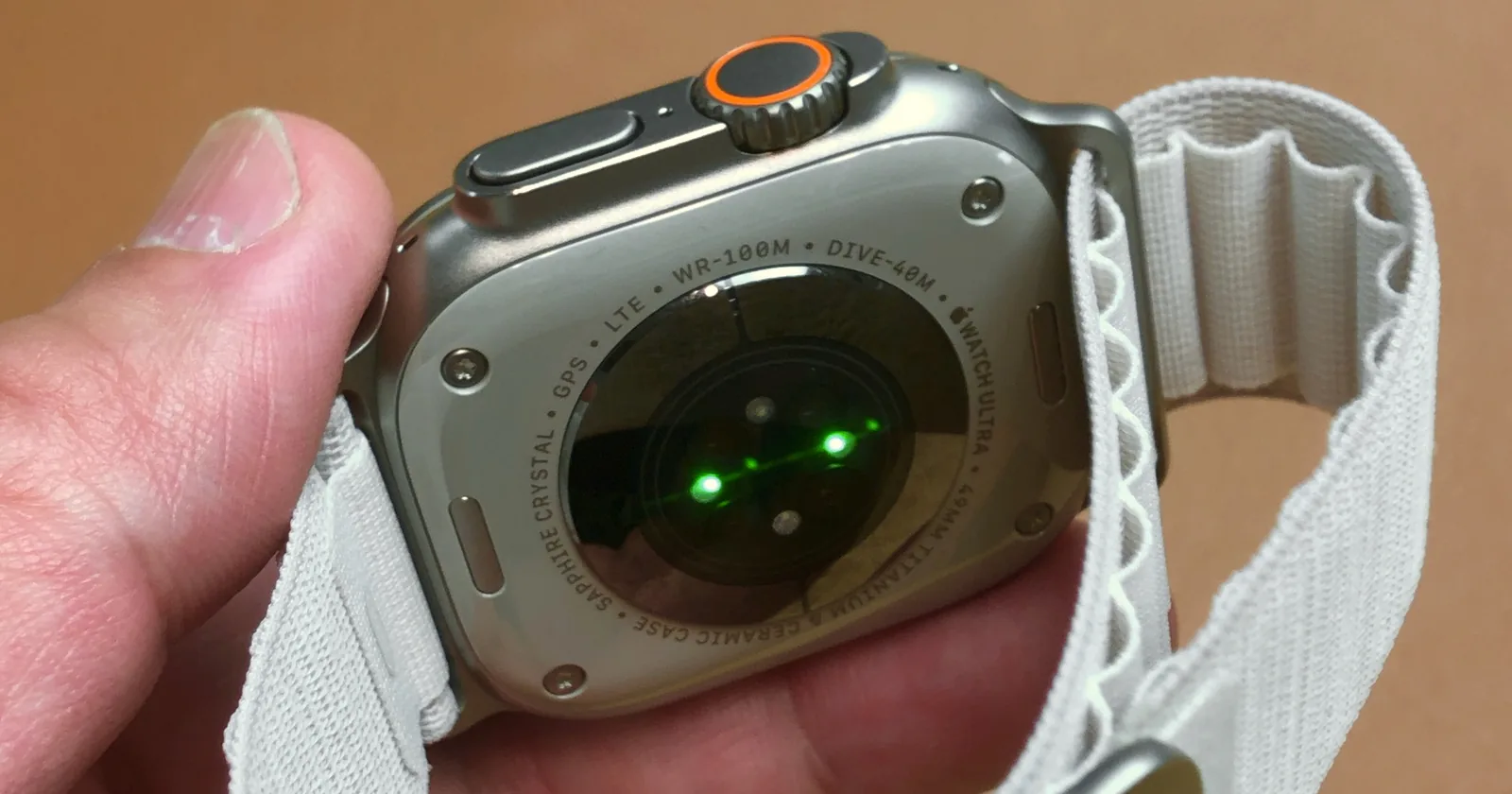
The case back of a first-generation Apple Watch Ultra in an Apple Store, September 2022, engraved "WR-100M · DIVE-40M". A display unit, not the Ultra 4 sold now; no freely licensed photo of an Ultra under water exists. Photo: KKPCW (Kyu3), Wikimedia Commons, CC BY-SA 4.0, cropped.
Best for
- You already wear an Ultra and dive recreationally above 40 m: Oceanic+ Scuba plan, paid by the month in the months you dive
- You are buying a dive computer from scratch: Shearwater Peregrine (USD 580), cheaper than an Ultra 4 (USD 799) before any subscription
- One watch for everything, trimix headroom, no subscription: Garmin Descent G2 (USD 699.99)
- Dives below 40 m or tank pressure on the wrist: not the Ultra; look at a Peregrine TX or a Garmin Descent Mk3i
| Setup | US price, Oct 2026 | Format and screen | Gas modes | Air integration | Dive battery | Depth limit |
|---|---|---|---|---|---|---|
| Apple Watch Ultra 4 + Oceanic+ Scuba plan | From USD 799, plus USD 9.99/month or 79.99/year | Watch, 49 mm case, 422 x 514 OLED, 3,000 nits | Air, nitrox, up to 3 gases; no trimix | No | No dive figure published | 40 m |
| Garmin Descent G2 | USD 699.99 | Watch, 1.2" AMOLED | Air, nitrox, trimix, CCR, apnea | No | Up to 27 h | 100 m |
| Shearwater Peregrine | USD 580 | Wrist unit, 2.2" color LCD | Air, nitrox, 3-gas nitrox | No | Up to 30 h | 120 m |
| Shearwater Peregrine TX | USD 760 (Swift transmitter USD 400) | Wrist unit, 2.2" color LCD | Air, nitrox, 3-gas nitrox | Yes, up to 4 transmitters | Up to 30 h | 120 m |
Which Apple Watch Ultra models work as a dive computer in October 2026
Apple's watch page lists three current models: Series 12, Ultra 4 and SE 3. The Ultra 4 is the only Ultra Apple sells now, from USD 799 in its US store, and Apple no longer lists the Ultra 3. Older Ultras still dive. Apple writes its dive limits for "Apple Watch Ultra models", and Oceanic says its app runs on "Apple Watch Ultra (all models)".
The Ultra 4 spec sheet lists water resistance of 100 m under ISO 22810:2010 and "EN13319 recreational scuba diving to 40m (±1m accuracy)", with a dive operating range of 0 to 40 °C. Its footnote is blunt: "It should not be used below 40 meters." The Series 10 and later also carry a depth gauge, but Apple caps them at 6 m and Oceanic+ only lets them snorkel. So for scuba, the question is always an Ultra, and always 40 m.

The Depth app is not a dive computer: what Oceanic+ adds to the Apple Watch Ultra
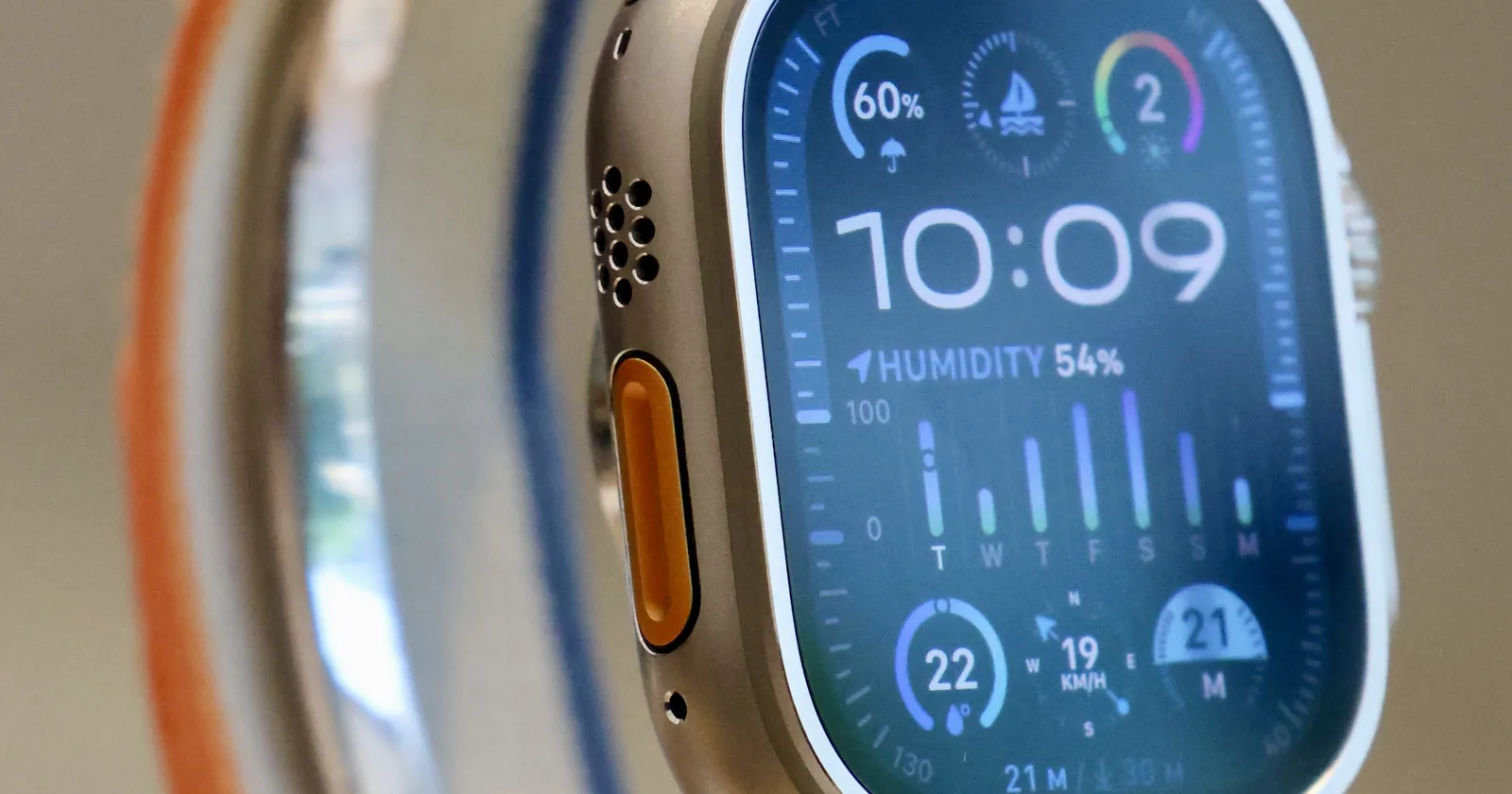
Out of the box the Ultra runs Apple's Depth app, which shows current and maximum depth, time underwater and water temperature. Apple's user guide is clear about its limits: "The Depth app is not a dive computer and does not provide decompression stop information, gas analysis, or other recreational scuba diving functionality."
For no-stop times you need a third-party app. On the Ultra 4 page Apple names Oceanic+ from Huish Outdoors, says it and "other apps turn Ultra 4 into a fully capable dive computer", and adds that "A subscription is required for Oceanic+."
The free tier is a gauge. Oceanic's plan table gives free users depth, maximum depth, a compass, GPS entry and exit points and snorkeling to a 4.6 m limit, and its FAQ caps the free logbook at 12 logs, overwriting the oldest. The Scuba line, the part that tracks tissue loading, is ticked only in the paid Scuba Diving plan.
You also need an iPhone. Oceanic says the app "has been designed to work only on Apple products", and that deleting it from the iPhone stops it working on the watch. Apple lists the Ultra 4 as needing an iPhone 11 or later on iOS 27. Once both are set up, the watch dives on its own.
What EN 13319 and ISO 22810 certify on the Apple Watch Ultra
The two standards on the spec sheet sound like dive certification. Neither covers the decompression math. ISO 22810:2010 is the general water-resistant watch standard, and ISO's own release on it says it "covers watches intended only for daily use and for swimming, while ISO 6425 covers watches that can be used while scuba diving." Apple cites ISO 22810, not ISO 6425.
EN 13319:2000 is the European standard for depth gauges and combined depth and time devices. Its published scope, as listed by the Estonian standards body EVS, reads: "Any information on decompression obligations displayed by equipment covered by this standard is explicitly excluded from its scope." The standard tests the depth sensor and the dive timer, on any device that claims it. EVS still lists the 2000 edition as current.
Apple's own wording is careful too. The user guide says the Ultra models "are designed to comply with EN 13319", and the water-resistance article calls them "EN13319-compliant". The no-stop times, ceilings and gas limits come from Oceanic+, so the algorithm's behavior is Oceanic's to document, not the standard's.
Below 40 m: what the Apple Watch Ultra and Oceanic+ do past the limit
Apple's diving specifications give a maximum depth of operation of 40 m and add: "Beyond 40 meters in depth, some functions may stop working or work intermittently." Once 40 m is exceeded, Oceanic+ shows a red alarm that it says "indicates you cannot dive any deeper with the device", and red alarms cannot be dismissed.
Go past the hardware limit and, in Oceanic's words, "the NDL data will no longer be displayed and sensor data may be compromised. You should safely end the dive and may be forced to switch to a backup computer."
Oceanic's FAQ also notes that in freedive mode there are "no violations or lock mode" for exceeding depth, "unlike scuba diving". It does not say how long a scuba lock lasts. That is worth asking Oceanic before a liveaboard week where one overshoot could leave you without a computer.
The margin is the point. A Descent G2 is rated to 100 m and a Peregrine to 120 m, so a slip on a wall dive stays inside their range. On the Ultra, the limit and your plan can be the same number. A missed decompression stop has its own cost on Oceanic+: the safety stop gets longer and the no-fly time is set to 48 hours.
Bühlmann ZHL-16C on Oceanic+: conservatism next to Garmin and Shearwater
Oceanic's app page says "Oceanic+ uses the Bühlmann ZHL-16C algorithm", and its FAQ adds "with gradient factors". That is the same model family the Garmin Descent G2 and the Shearwater Peregrine name. The algorithm is not the Ultra's weak point. The FAQ also warns long-time Oceanic owners that the app differs from the company's own DSAT and Z+ computers, so a buddy on an older Oceanic will see different numbers.
Oceanic+ offers three presets, "0" being the least conservative and "+2" the most, with "0" as the default, plus custom gradient factors "only recommended if you have proper training". The FAQ does not print the gradient-factor pairs behind those presets. Shearwater does: the Peregrine manual lists a medium default of 40/85. If you dive next to someone on a Peregrine and want your no-stop times to roughly agree, set a custom pair rather than trusting a preset name.
Apple adds a rule that matters on trips where you swap devices: "Don't switch to a different diving app within 48 hours of your last dive." Oceanic confirms that its app and the Depth app do not share dive profiles, so tissue loading does not carry over between them.
Nitrox and multi-gas on the Apple Watch Ultra, and no trimix
Oceanic+ 4.0, dated 16 March 2026 in the App Store version history, added Multi-Gas Management: "up to three tanks, each with its own mix, MOD, and ppO₂ settings from 1.4 to 1.6." The FAQ says mixes go up to 100% oxygen and that the app "will never auto-switch gases", so every switch is confirmed by hand. Nitrox stays locked until you confirm in the app that you are trained.
Some of Oceanic's own pages still carry the older limits. The planner section of the app page says "Nitrox mix (up to 40%)", and one FAQ entry still gives 22% to 40%. Check what your installed version offers before you plan a deco gas around it. Our nitrox explainer covers what the mix does on a reef dive.
Trimix is out. Oceanic's FAQ says Dive Mode "is only compatible with air or Nitrox". The USD 699.99 Garmin Descent G2 lists trimix and closed-circuit rebreather support. That is a real gap for anyone whose next course is technical.

No air integration: the Apple Watch Ultra cannot read tank pressure
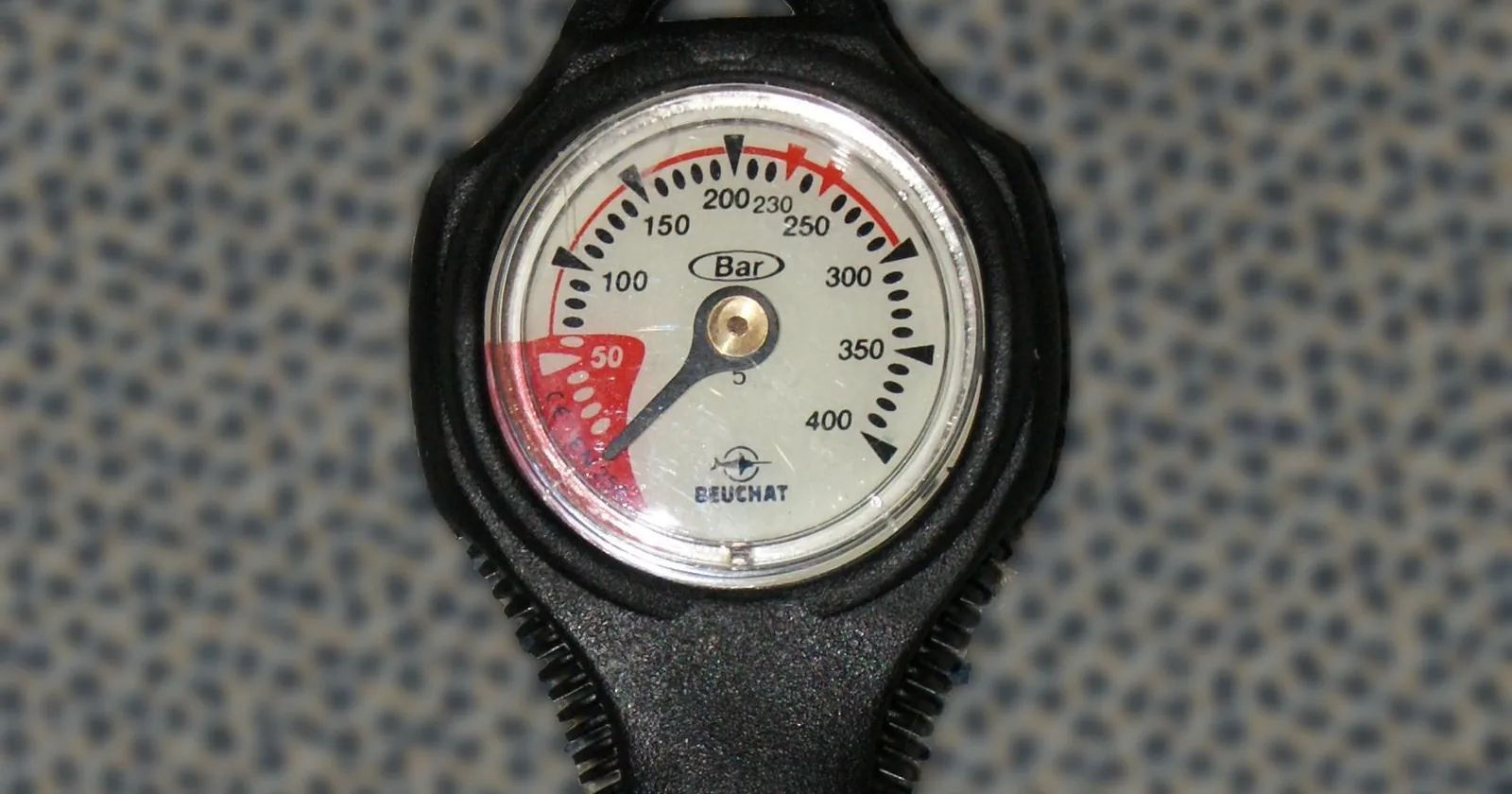
Neither Apple's Ultra 4 spec sheet nor Oceanic's plan table lists air integration or tank pressure. Oceanic's FAQ asks "I have a wireless transmitter, can I connect it with the Oceanic+ app?" and answers only that the app works on the Ultra or on an iPhone in its Dive Housing. For the housing, air integration "is in our future roadmap". You still read an analog gauge on the regulator.
If tank pressure on the wrist is the point, the dedicated route costs more. A Shearwater Peregrine TX (USD 760) with one Swift transmitter (USD 400) comes to USD 1,160. The Descent G2 has no air integration either; on Garmin's side you need a Descent Mk3i from USD 1,399.99 plus a USD 499.99 T2 transceiver. Our Garmin Descent vs Shearwater comparison sets those systems side by side.
Battery, backup and the iPhone: running an Apple Watch Ultra on a dive trip
Neither Apple nor Oceanic publishes a dive-mode runtime for the Ultra. Apple lists the Ultra 4 at up to 50 hours of normal use and up to 18 hours of workout tracking, measured on an outdoor run with the heart-rate sensor on. That is not a dive figure. Oceanic+ turns the always-on display on in dive mode. The G2 lists up to 27 hours of diving and the Peregrine up to 30.
Charging is quick. Apple quotes about 45 minutes to 80% on the included magnetic fast charger with a USB-C cable, a proprietary puck you should not lose on a boat. Oceanic advises rinsing the watch in fresh warm water and drying it completely before charging.
Apple's user guide then asks for a second device. "Always use a secondary depth gauge and timer/watch, as well as decompression tables," it warns, and "ascend safely if there is any apparent malfunction." Oceanic's own answer is to pair the watch with an iPhone in its Dive Housing, rated to 60 m, which runs as a separate computer on the same subscription. A dedicated computer on the other wrist does the same job.
What the Oceanic+ subscription costs over a year of diving
Oceanic's US plan page and the US App Store agree on the prices as of 13 October 2026. The Scuba Diving plan costs USD 4.99 a day, 9.99 a month, 79.99 a year, or 129.99 a year for a Family Sharing plan. Freediving alone is USD 4.99 a month on the Ultra, snorkeling USD 1.99. Plans renew automatically until you cancel in the App Store.
The arithmetic favors the monthly plan for most travelers. A day pass beats the month only for one or two dive days. The annual plan beats twelve months of monthly only if you would pay for nine or more months. Three dive trips a year, each inside one billing month, cost USD 29.97.
Total cost depends on what you already own. Bought for diving, an Ultra 4 plus three years of the annual plan comes to USD 1,038.97, against a one-off USD 580 for a Peregrine. If the Ultra is already on your wrist, the extra cost is only the subscription. The paid logbook stays readable for 12 months after a plan lapses, and dives export as UDDF files, so download your log before you cancel.
Warranty and seal tests for an Apple Watch Ultra that dives abroad
Apple's US limited warranty runs one year and does not cover "damage caused by operating the Apple Product outside Apple's published guidelines". It also says Apple "may restrict warranty service for hardware products to the country where Apple or its Authorized Distributors originally sold the device", which matters if you buy in one country and dive in another. Shearwater gives a two-year worldwide warranty that stays with the unit; Garmin's US warranty is one year.
Apple also writes that water resistance "isn't a permanent condition and can diminish over time", and lists sunscreen and insect repellent among the things that can affect it. Ultra owners can mail the watch in for a Depth and Water Seal Test, back in an average of seven to ten business days. It is offered in the US, Japan, Korea, Singapore, China mainland, all 27 EU countries and Liechtenstein. It is not listed for the UK, Australia, Canada, Mexico or Egypt. In Southeast Asia, only Singapore is on the list.
Apple Watch Ultra or a dedicated dive computer, by the diver you are
You already own an Ultra and dive air or nitrox above 40 m. Try it. A month of Oceanic+ costs USD 9.99, and the watch you already wear becomes a Bühlmann computer with three gases. Bring the backup Apple asks for.
You are buying a computer for diving. Buy a dive computer. A Shearwater Peregrine costs USD 219 less than an Ultra 4, needs no subscription and is rated to 120 m. Our Peregrine review goes through it in detail.
You want one watch for diving and daily life. Put the Garmin Descent G2 (USD 699.99) next to the Ultra. The G2 adds trimix, CCR and 100 m without a subscription, while the Ultra brings Apple's apps and a larger display. If you use an Android phone, the Ultra is not an option at all.
You dive deep walls or wrecks, or want tank pressure. Skip the Ultra. Its 40 m ceiling and missing air integration rule it out. Freedivers can use the Ultra's USD 4.99 Freediving plan, with display to 40 m and heart rate on a bare wrist; the rest of the kit is in our freediving gear guide.
Whichever computer ends up on your wrist, sort the cover before the dive: our dive insurance guide shows which policies pay for a chamber.
FAQ: Apple Watch Ultra as a dive computer
Can the Apple Watch Ultra replace a dive computer?
For recreational air and nitrox diving to 40 m, yes, if you run a paid Oceanic+ Scuba plan. It cannot replace one for dives below 40 m, trimix or air integration. Apple's own guide also tells you to always use a secondary depth gauge and timer or watch, so plan on a backup either way.
How deep can you dive with an Apple Watch Ultra?
40 m (130 ft). Apple rates every Ultra model for recreational scuba diving to 40 m and says it should not be used below that. Past 40 m, Apple writes that some functions may stop working, and Oceanic says the no-deco data will no longer be displayed.
How much does Oceanic+ cost for scuba diving on an Apple Watch Ultra?
In the US, the Oceanic+ Scuba Diving plan costs USD 4.99 a day, 9.99 a month, 79.99 a year or 129.99 a year for a family plan, as of October 2026. A Freediving-only plan is USD 4.99 a month. The free tier covers gauge and shallow snorkeling but not scuba mode.
Does the Apple Watch Ultra have air integration with Oceanic+?
No. Neither Apple's Ultra 4 spec sheet nor Oceanic's plan table lists air integration or tank pressure, and Oceanic's FAQ does not name a transmitter the app can read. Oceanic calls air integration for its iPhone Dive Housing a roadmap item. Keep an analog pressure gauge.
Can you dive nitrox with the Apple Watch Ultra and Oceanic+?
Yes. Since Oceanic+ 4.0 (March 2026) the app handles up to three tanks, each with its own mix and a ppO2 limit from 1.4 to 1.6, and you switch gases by hand. You must confirm nitrox training in the app to unlock it. Trimix is not supported.
Is the Apple Watch Ultra a certified dive computer under EN 13319?
Apple says the Ultra models are designed to comply with EN 13319. That standard covers depth gauges and depth and time functions, and it explicitly excludes decompression information from its scope. The no-deco and stop figures come from the Oceanic+ app, not from the EN 13319 rating.
Yannick Schroth
Founder of NOMADREEF and a former digital nomad who has based across Asia and Latin America, from Thailand to Peru. This page is built from Apple's specifications and support documents, Oceanic's app pages, FAQ and App Store listing, and the published scopes of the standards involved, not from a hands-on dive with the watch. About the author · LinkedIn ↗
Sources
- Apple lineup and Ultra 4 price. Current models "Apple Watch Series 12", "Apple Watch Ultra 4", "Apple Watch SE 3"; Ultra 4 "Buy from $799"; Ultra 4 requires "iPhone 11 or later with iOS 27 or later": apple.com/watch, apple.com Ultra 4 store page. Checked 13 October 2026.
- Apple Watch Ultra 4 specifications. "Water resistance 100m ... under ISO standard 22810:2010"; "EN13319 recreational scuba diving to 40m (±1m accuracy)"; "Dive operating temperature: 32° to 104° F (0° to 40° C)"; "Active area 422 by 514 pixels"; "3000 nits peak brightness"; "It should not be used below 40 meters."; "A subscription is required for Oceanic+.": Ultra 4 tech specs, Ultra 4 overview. Checked 13 October 2026.
- Apple Watch User Guide, Depth app (watchOS 27). "The Depth app is not a dive computer"; "Apple Watch Ultra models: 40 meters (130 feet)"; "designed to comply with EN 13319. Beyond 40 meters in depth, some functions may stop working or work intermittently."; "Don't switch to a different diving app within 48 hours of your last dive."; "Always use a secondary depth gauge and timer/watch, as well as decompression tables.": support.apple.com/102273. Read 13 October 2026.
- Apple water resistance and seal test. "EN13319-compliant"; "Water resistance isn't a permanent condition and can diminish over time"; Depth and Water Seal Test, "an average of seven to ten business days", list of eligible countries: support.apple.com/109522, support.apple.com/118571. Read 13 October 2026.
- Apple battery and warranty. Ultra 4 "up to 50 hours", "Up to 18 hours workout tracking", "About 45 minutes to 80%": apple.com/watch/battery. US limited warranty "ONE (1) YEAR", exclusion "(e) to damage caused by operating the Apple Product outside Apple's published guidelines", country restriction: Apple US warranty. Checked 13 October 2026.
- Oceanic+ app page and FAQ. "Oceanic+ uses the Bühlmann ZHL-16C algorithm"; "Bühlmann ZHL-16C with gradient factors"; presets "0" to "+2", default "0"; "the NDL data will no longer be displayed"; missed stop: "No Fly Time will be set to 48 hours"; "only compatible with air or Nitrox"; "up to 3 tanks"; "will never auto-switch gases"; transmitter question; housing air integration "in our future roadmap"; free logbook "limited to 12 logs": oceanicworldwide.com Oceanic+, Oceanic FAQs. Read 13 October 2026.
- Oceanic+ prices and version history. US Scuba Diving plan "$4.99 / DAY", "$9.99 / MONTH", "$79.99 / YEAR", "$129.99 / YEAR (FAMILY)"; Freediving "$4.99 / month"; Snorkeling "$1.99 / month"; "Check App for Regional Pricing": Oceanic+ subscription page. Same amounts in the US App Store listing, whose version history dates Oceanic+ 4.0, with "Multi-Gas Management supports up to three tanks", to 16 March 2026: App Store, Oceanic+ app updates. Checked 13 October 2026.
- Standards. EN 13319:2000 scope: "Any information on decompression obligations displayed by equipment covered by this standard is explicitly excluded from its scope", listed as the newest version, valid from 1 October 2000: EVS, EN 13319:2000. ISO 22810:2010 scope: EVS, ISO 22810:2010; ISO 22810 against ISO 6425: ISO news release, November 2010. Read 13 October 2026.
- Garmin and Shearwater figures. Descent G2 USD 699.99, trimix and CCR, 100 m, up to 27 h dive mode; Mk3i 43 mm USD 1,399.99; T2 USD 499.99: garmin.com Descent G2. Peregrine USD 580, 120 m, up to 30 h; Peregrine TX USD 760; Swift USD 400; Peregrine manual medium default 40/85; two-year worldwide warranty: Peregrine, Peregrine TX, Shearwater warranty. Checked 13 October 2026, as set out in our Garmin Descent vs Shearwater sources.
- Derived figures: Ultra 4 plus three annual plans, 799 + 3 x 79.99 = USD 1,038.97; three monthly plans, 3 x 9.99 = USD 29.97; Peregrine TX plus Swift, 760 + 400 = USD 1,160; Ultra 4 minus Peregrine, 799 - 580 = USD 219. Prices move with promotions and region. A dive computer is safety equipment: read its documentation and dive within your training, not within a comparison table.